


WordBrain - Word puzzle game
4.4150.65K Reviews
App Specs
- Version
- 1.50.1
- Updated On
- License
- Free
- Downloads
- 10,000,000+
- Developer
- MAG Interactive
- Categories
- Word
- Platform
- Android, iOS
Screenshots


 Analysis by AppCompare
What I enjoy most about WordBrain is that it turns a small grid of letters into a problem of order, not just recognition. You are not simply spotting words wherever they appear: you need to find them in the right sequence, so each choice can affect what remains. That makes a quick puzzle feel more like a little planning exercise than a routine word search. I reach for it when I want something focused and quiet, rather than a game that asks me to keep up with a stream of action.
A word puzzle built around choices
The central appeal is the gap between seeing a possible word and knowing whether it is the right word to enter now. A familiar-looking combination may be tempting, but the grid’s changing shape makes you pause and consider how your choice will affect the next one. That small layer of consequence is what gives the game its identity: it rewards careful looking as much as a broad vocabulary.
It also makes the experience approachable without making every puzzle effortless. The basic act of tracing letters is easy to understand, but deciding where to begin can take patience. I like that distinction because it lets a new player grasp the controls quickly while still leaving room for a genuine challenge as the puzzles become more involved.
Why the order matters in a short session
In practice, I find it useful to scan the whole grid before making a move. Instead of immediately tracing the first word I recognize, I look for the words that seem least flexible: a short, distinctive option may be easier to identify, while a more obvious-looking word could have several plausible alternatives. Thinking about the sequence first can prevent a quick guess from sending me down a frustrating path.
This approach works especially well in brief sessions. I can open the game while waiting for a kettle to boil or sitting through a short break, solve what I can, and put the phone away when I need to. It does not require me to follow a long story or remember a complicated set of controls. The puzzle itself is the whole point, which is convenient when I only have a few spare minutes.
When hints help—and when they take away the fun
The hint system is useful when I have genuinely run out of ideas, but I get more from a puzzle when I first change my approach. I might trace a different candidate, look for a less familiar word, or take a short pause and come back with fresh eyes. If I use a hint too early, I can miss the satisfaction of seeing the grid clearly for myself; if I save it for a real dead end, it feels more like a nudge than a shortcut.
That is also why I would not treat every difficult level as a test of vocabulary alone. Sometimes the sticking point is the arrangement and order of the answers, not a word I have never encountered. Taking time to reconsider the route through the grid is a better first step than assuming I simply need to know more words.
Worth Reading Before You Choose

Flipboard Shows What News Apps Must Do Beyond the Feed

Switching to Android Auto Means Rethinking Your Driving Routine

Google Calendar Makes a Crowded Week Easier to Manage

Ludo King Makes the Most of the Minutes Between Plans

Baby Panda World Brings Quick Play to Modern Phones, but Its Game Library Feels Busy

ESPN’s Live Game View Makes Following Close Games Easier
Diving Into the Game
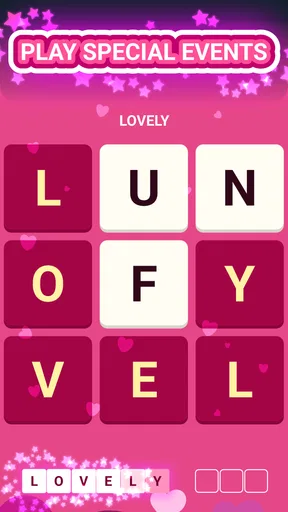
When you first open WordBrain, you’re greeted with a straightforward interface that’s easy on the eyes and intuitive to navigate. The game kicks off with simple puzzles, giving you a gentle introduction to its mechanics. Don’t let the simplicity fool you, though. As you progress, the levels become increasingly complex, challenging even the most seasoned word enthusiasts.
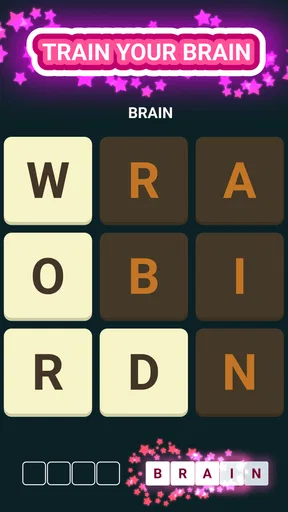
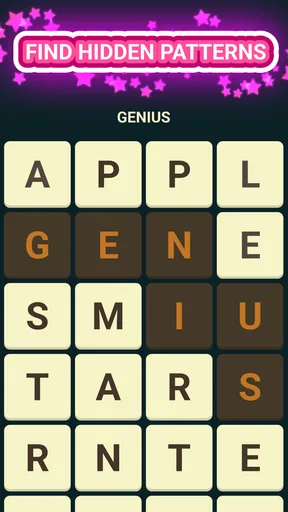
The objective is simple: swipe your finger across the letters to form words. Each level presents a grid of letters, and your task is to find the hidden words in the right order. It might sound easy, but as the grid size increases and the words become more intricate, you’ll find yourself getting pleasantly stumped more often than not.
Leveling Up Your Word Game
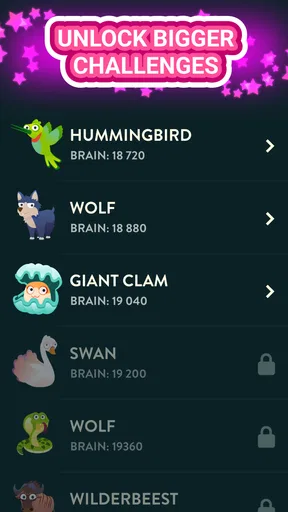
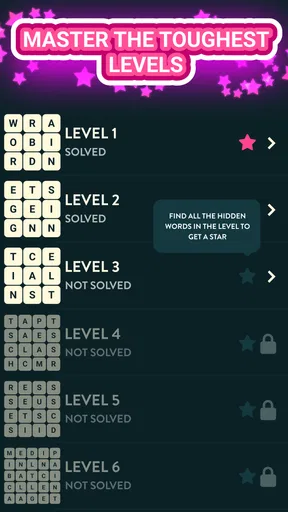
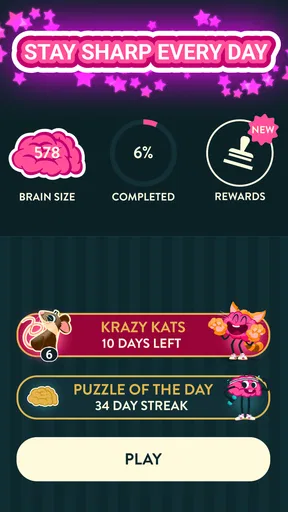
One of the things I love about WordBrain is its progression system. The game is divided into different categories, each with a plethora of levels to conquer. As you solve puzzles, you unlock new challenges and the difficulty ramps up. It’s a clever way to keep players engaged without overwhelming them right from the start.
Another neat feature is the hint system. We all have those moments when our brains refuse to cooperate, and the game’s hints come in handy during such times. They give you just enough of a nudge to get back on track without spoiling the fun of discovery.
The Joy of a Challenge
What really sets WordBrain apart is its ability to make you think outside the box. The game encourages you to look at words from different angles and find patterns in the chaos of letters. It’s a fantastic way to stretch your mind and improve your vocabulary while having fun.
And let’s not forget the sense of accomplishment that comes with solving a particularly tough level. There’s something incredibly satisfying about finally cracking a puzzle that had you stumped for ages. It’s those little victories that keep you coming back for more.
A Few Tips for New Players
If you’re new to WordBrain, here are a few tips to get you started. First, take your time. There’s no rush to complete the puzzles, so savor the process. Second, don’t be afraid to experiment. Sometimes the most unexpected word combinations lead to breakthroughs. Lastly, use hints strategically. They’re limited, so save them for when you’re truly stuck.
Keeping the puzzle manageable
A practical habit is to separate looking from committing. I scan for possible words first, then choose a move only after considering what it might leave behind. When I hit a wall, I stop rather than repeatedly swiping at the same guess. A brief break can help me notice a route I had overlooked, and it avoids turning a relaxing game into a test of stubbornness.
This is also a good game to share informally with someone nearby: one person can point out a possible word while the other thinks through the order. That does not change the basic puzzle, but it can make a tricky grid feel collaborative. It suits a quiet commute or a waiting room better than a setting where you need to divide your attention between the screen and conversation.
How it compares with other word games
Compared with a conventional word search, where the main task is to find words in a fixed arrangement, this game puts more emphasis on the consequences of each selection. It is less suited to someone who wants to circle every answer freely and move on. Compared with a crossword, it asks less of you in terms of clues and general knowledge; the challenge comes from reading the letters and deciding how to form the required words.
That difference makes it a useful alternative when I want a self-contained puzzle rather than a daily routine or a competitive match. If you enjoy racing another player, keeping score against friends, or solving clue-based puzzles, a different word game may suit you better. Here, the appeal is measured concentration, and the pace is entirely your own.
Who will get the most from it
I would recommend it to people who enjoy word puzzles but do not always have time for a long session. The simple swipe-based interaction is easy to pick up, while the sequence of increasingly demanding grids gives regular players a reason to return. It can also work for someone who wants a low-pressure way to occupy a few minutes without taking on a complicated game system.
It is less ideal if you dislike trial and error, expect every answer to be obvious from a clue, or want a social experience built into the puzzle. A player who becomes irritated when a plausible word is not the right first move may find the ordering challenge more frustrating than satisfying. I would also choose something else when I want a game that depends on a narrative, fast reactions, or a changing visual world; this one keeps attention on letters and decisions.
What to expect before downloading
WordBrain is a free word game from MAG Interactive, released on May 5, 2015. It has a 4.5 average from around 954,000 ratings, and has been installed over 10 million times. Those figures suggest broad interest, but the more useful point for a new player is that its appeal is quite specific: it is a focused letter-grid puzzle, not an all-purpose collection of word activities.
The game is rated Everyone and is currently at version 1.50.0, with a minimum OS requirement of 7.0. Optional in-app purchases range from $0.99 to $14.99 per item. I would start with the free experience and decide for myself whether any purchase makes sense; there is no reason to spend simply because a difficult puzzle has slowed me down. If you prefer never to encounter optional purchases, check the purchase controls on your device before handing it to a child.
One question people often have is whether it works for a very short break or demands a long stretch of attention. Its grid-based format makes a brief session practical, although I find that stopping in the middle of a difficult puzzle can leave me wanting to return and finish it. Another is whether a hint should be used whenever progress stalls. My answer is no: try changing your scan pattern first, and keep help for a point where you have tested the likely options.
For a daily habit, I would treat it as a small puzzle rather than a vocabulary course. It can make me look more carefully at letter combinations, but simply playing does not guarantee that I will learn a new word; that depends on noticing and remembering unfamiliar answers. If that is your main goal, pairing play with a dictionary or another learning tool may be more effective than expecting the game to teach on its own.
Final Thoughts
In a world full of complex games and overwhelming graphics, WordBrain is a breath of fresh air. Its simplicity is its strength, offering a perfect blend of fun and challenge that’s ideal for a quick brain workout. Whether you’re a word game veteran or just looking for a way to unwind, this app is definitely worth a download.
So, go ahead and give WordBrain a try. It might just become your new favorite way to pass the time and keep your mind sharp. Happy puzzling!
Pros
- Engaging puzzles boost vocabulary skills.
- Intuitive interface makes navigation easy.
- Daily challenges keep gameplay fresh.
- Supports multiple languages for global users.
- No intrusive ads for uninterrupted play.
Cons
- Some levels feel repetitive over time.
- Hints can be costly without purchases.
- Limited offline features available.
- Difficulty spikes can frustrate beginners.
- Graphics are basic and lack variety.
FAQs for WordBrain - Word puzzle game
What is WordBrain, and how does it work?
WordBrain is a challenging word puzzle game that requires players to find hidden words in a grid of letters. The game starts with simple puzzles and becomes more complex as you advance. Each level requires you to find all the words to proceed, making it a great way to improve your vocabulary and problem-solving skills.
Is WordBrain free to play, and are there in-app purchases?
WordBrain is free to download and play, offering a substantial amount of content at no cost. However, it includes optional in-app purchases, such as hints and ad removal, which can enhance your gameplay experience. Players can enjoy the game without spending money, but purchases can help overcome particularly challenging levels.
What platforms is WordBrain available on?
WordBrain is available on both Android and iOS platforms. You can download it from the Google Play Store or the Apple App Store. It’s compatible with a wide range of devices, allowing you to enjoy the game on smartphones and tablets, ensuring a seamless experience regardless of your preferred device.
Does WordBrain require an internet connection to play?
WordBrain can be played offline, which is perfect for users who want to enjoy the game without an internet connection. However, some features, like downloading new levels or accessing in-game purchases, may require online connectivity. Playing offline means you can enjoy the game anywhere, anytime, without worrying about data usage.
How does WordBrain handle player progress and data?
WordBrain saves your progress locally on your device, ensuring you can pick up where you left off. If you switch devices or reinstall the app, you may need to manually restore progress. Currently, there’s no cloud save feature, so it’s important to keep your device data backed up if you plan to switch devices.


